
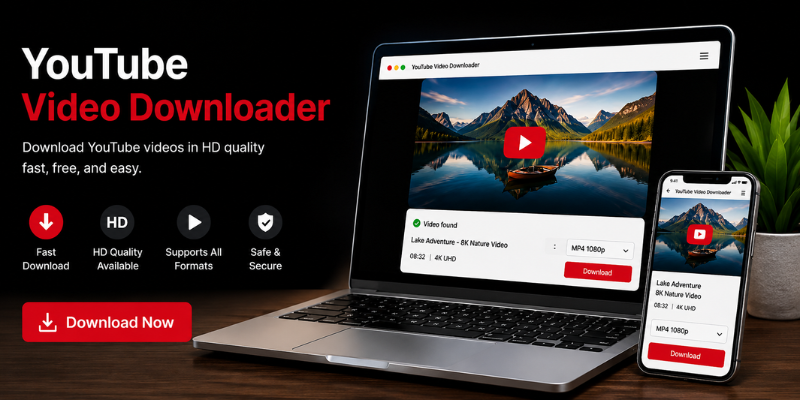

Downloading YouTube videos has become a common need for students, travelers, professionals, and content creators who want to watch videos without relying on an internet connection. Whether you’re saving educational tutorials for a flight or keeping training videos handy for work, choosing the right youtube video downloader can make the process quick and convenient.
In this guide, you’ll learn how YouTube video downloaders work, the legal considerations, the features to look for, and the safest ways to save videos for offline viewing. We’ll also share practical tips to help you avoid common mistakes and protect your device.
What Is a YouTube Video Downloader?
A youtube video downloader is a tool, application, or online service that allows users to save YouTube videos onto their devices for offline viewing. Depending on the software, users can download videos in different resolutions, formats, and quality levels.
Many people use downloaders for legitimate purposes, such as:
- Watching educational videos without internet access.
- Saving personal content they’ve uploaded.
- Creating offline playlists for travel.
- Backing up videos with proper permission.
It’s important to remember that downloading videos should always respect YouTube’s Terms of Service and the copyright rights of content creators.
Why Use a YouTube Video Downloader?
There are many practical reasons why offline access matters.
Imagine you’re preparing for a long train journey with limited internet coverage. Having tutorial videos, documentaries, or language lessons downloaded beforehand means you can continue learning without interruptions.
Some common reasons include:
- Offline entertainment during travel.
- Learning through video courses.
- Accessing videos in areas with slow internet.
- Saving mobile data.
- Watching content without buffering.
Personally, I’ve found offline videos especially useful during flights. Instead of depending on airport Wi-Fi, everything is already available on my device.
Features of the Best YouTube Video Downloader
Not every downloader offers the same experience. Choosing a reliable tool can save time and improve video quality.
Important features include:
- Fast download speeds.
- Multiple video resolutions, including HD and 4K where available.
- MP4, MP3, and other popular format support.
- Batch downloading.
- Subtitle support.
- Playlist downloading.
- Clean, user-friendly interface.
- Regular software updates.
- No unnecessary advertisements or bundled software.
A downloader with these features usually provides a smoother and safer experience.
Types of YouTube Video Downloader Tools
Several types of download tools are available, each serving different user needs.
Desktop Applications
Desktop software generally offers the most features.
Advantages include:
- Faster downloads.
- Better stability.
- High-resolution support.
- Playlist downloads.
- Video conversion tools.
These are often preferred by users who regularly download large numbers of videos.
Online Downloaders
Online tools work directly inside your browser.
Benefits include:
- No installation required.
- Quick access.
- Works across different operating systems.
However, some online services contain intrusive ads or download limitations, so it’s important to choose reputable providers.
Mobile Apps
Some mobile applications provide offline downloading features where permitted.
They’re useful because they allow users to manage downloads directly from their smartphones without needing a computer.
How to Choose a Safe YouTube Video Downloader
Security should always come first when using any downloading tool.
Follow these practical tips:
- Download software only from trusted developers.
- Avoid websites filled with pop-up advertisements.
- Keep antivirus software updated.
- Never install unknown browser extensions.
- Read user reviews before installing applications.
- Avoid tools requesting unnecessary permissions.
A friend once downloaded software from an unfamiliar website simply because it appeared first in search results. The installer included unwanted programs that slowed down the computer considerably. Spending a few extra minutes checking reviews could have prevented the issue.
Understanding Copyright and YouTube Policies
Before downloading any content, it’s important to understand the legal side.
Many YouTube videos are protected by copyright. Downloading copyrighted content without permission may violate both copyright law and YouTube’s Terms of Service.
Generally acceptable situations include:
- Downloading your own uploaded videos.
- Downloading videos with the creator’s permission.
- Using YouTube’s official offline download feature where available.
- Downloading copyright-free or Creative Commons content according to its license.
Respecting creators helps support the people who invest time and effort into producing quality content.
Tips for Better Offline Viewing
Downloading videos is only part of the process. Managing them efficiently makes the experience much better.
Consider these tips:
- Choose the appropriate resolution for your storage space.
- Organize videos into folders by topic.
- Rename downloaded files for easier searching.
- Delete videos you no longer need.
- Back up important educational or personal videos.
- Use external storage if downloading large collections.
For example, students can create folders for different subjects, making revision much easier during exam preparation.
Choosing the Right Video Format
Most downloaders support several output formats.
Common options include:
MP4
- Best for general video playback.
- Compatible with almost every device.
MP3
- Ideal for music, podcasts, lectures, and interviews.
WEBM
- Efficient compression with good quality.
Selecting the right format depends on how you plan to use the downloaded content.
Frequently Asked Questions
Is using a YouTube video downloader legal?
The legality depends on what you’re downloading and whether you have permission. Downloading your own videos or content with authorization is generally acceptable, while downloading copyrighted material without permission may violate copyright laws or YouTube’s Terms of Service.
Can I download YouTube videos in HD quality?
Yes. Many downloaders support resolutions such as 720p, 1080p, 2K, and even 4K if the original video is available in those qualities.
Which format should I choose for downloads?
MP4 is the best choice for most users because it works on nearly all devices. If you only need audio, MP3 is a better option.
Are online YouTube downloaders safe?
Some are safe, while others may contain misleading advertisements or malware. Always use trusted services and keep your security software updated.
Can I download an entire YouTube playlist?
Many desktop downloaders support playlist downloads, allowing users to save multiple videos at once instead of downloading each individually.
Conclusion
A reliable youtube video downloader can make offline viewing simple, convenient, and efficient when used responsibly. By choosing trustworthy tools, respecting copyright rules, and following good security practices, you can enjoy your favorite educational or entertainment content without unnecessary risks. Always prioritize legal and ethical downloading while selecting software that meets your quality and usability needs.
Stay in touch to get more updates & alerts on site! Thank you