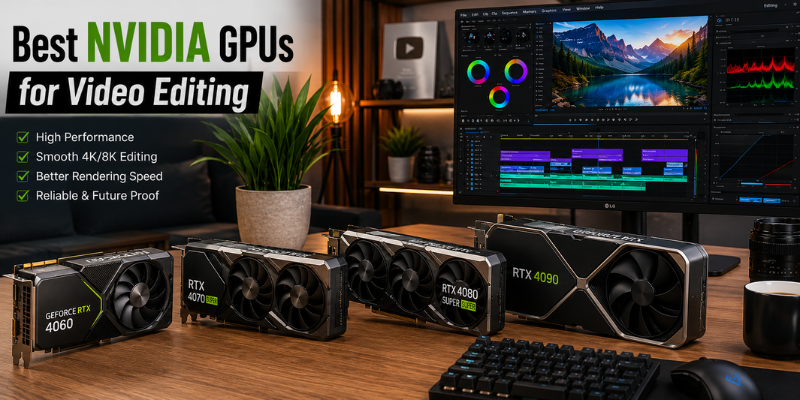

Finding the best NVIDIA GPUs for video editing can make a huge difference in your editing workflow, whether you’re producing YouTube videos, short films, or professional client projects. The right NVIDIA graphics card delivers smoother timeline playback, faster rendering, and improved performance with GPU-accelerated effects. In this guide, we’ll explore the best NVIDIA GPUs for video editing across different budgets, compare their strengths, and help you choose the ideal GPU for your creative needs.
Why the Best NVIDIA GPUs for Video Editing Matter
Many people assume video editing depends mainly on the processor. While the CPU still plays an important role, today’s editing applications make extensive use of GPU acceleration.
Programs like Adobe Premiere Pro, DaVinci Resolve, Adobe After Effects, and Vegas Pro use NVIDIA CUDA cores to accelerate tasks such as:
- Real-time timeline playback
- Color grading
- AI-powered effects
- Motion graphics
- Video rendering
- Noise reduction
- Hardware video encoding
A powerful GPU reduces waiting time and lets you focus on creativity instead of progress bars.
How to Choose the Best NVIDIA GPU for Video Editing
Not every graphics card is designed for the same workload. Before purchasing, consider these important factors.
VRAM Requirements for the Best NVIDIA GPUs for Video Editing
Video memory becomes increasingly important as project resolution grows.
General recommendations include:
- 8GB for Full HD editing
- 12GB for most 4K workflows
- 16GB or more for heavy effects and 8K editing
Running out of VRAM often causes stuttering, crashes, and slower exports.
CUDA Cores and NVIDIA GPU Performance for Video Editing
CUDA cores accelerate GPU-based processing in many professional editing applications.
More CUDA cores generally provide:
- Faster rendering
- Better timeline responsiveness
- Improved effects processing
NVENC Encoder in NVIDIA GPUs for Video Editing
NVIDIA’s dedicated NVENC encoder is one of the biggest advantages for video creators.
It delivers:
- Faster exports
- Lower CPU usage
- Excellent streaming performance
- High-quality H.264 and HEVC encoding
- AV1 encoding support on newer RTX 40 and 50 Series cards
Power Consumption When Choosing an NVIDIA GPU for Video Editing
High-end GPUs require larger power supplies and produce more heat.
Always ensure your PC has:
- Adequate airflow
- A quality power supply
- Enough physical space inside the case
Best NVIDIA GPUs for Video Editing in 2026
NVIDIA GeForce RTX 5090
For professionals who edit massive productions, the RTX 5090 currently represents the pinnacle of consumer GPU performance.
It excels in:
- 8K editing
- Complex After Effects compositions
- AI-powered workflows
- Multi-camera editing
- Real-time ray tracing
Content creators working on documentaries, commercials, or feature films will appreciate its incredible rendering speed and enormous VRAM capacity.
Pros:
- Exceptional editing performance
- Outstanding AI acceleration
- Massive VRAM
- Excellent future-proofing
Best for:
Professional studios and full-time content creators.
NVIDIA GeForce RTX 5080
The RTX 5080 offers flagship-level editing performance without reaching the extreme price of the 5090.
It comfortably handles:
- 4K editing
- 6K RAW footage
- Heavy color grading
- Complex transitions
- High-resolution timelines
For many professionals, this is the sweet spot between cost and performance.
NVIDIA GeForce RTX 5070 Ti
The RTX 5070 Ti delivers premium editing capabilities while remaining considerably more affordable.
It performs exceptionally well in:
- Adobe Premiere Pro
- DaVinci Resolve
- After Effects
- Blender
- AI video enhancement
If you regularly edit 4K videos for YouTube or commercial clients, this GPU offers excellent long-term value.
NVIDIA GeForce RTX 4070 Super
One of the most balanced graphics cards available, the RTX 4070 Super continues to be a favorite among creators.
Why editors love it:
- Excellent power efficiency
- Strong CUDA performance
- Fast exports
- Reliable NVENC encoding
- Great price-to-performance ratio
For freelancers and serious hobbyists, it’s difficult to find a better value.
NVIDIA GeForce RTX 4060 Ti
Not every editor needs an ultra-expensive GPU.
The RTX 4060 Ti is ideal for:
- YouTube creators
- Wedding videographers
- Social media editors
- Students
- Beginner filmmakers
It delivers smooth Full HD editing while also handling most 4K projects comfortably.
Which GPU Fits Your Editing Style?
Choosing the right GPU depends more on your workload than simply buying the most expensive model.
If you mostly create YouTube videos in 1080p, an RTX 4060 Ti will feel incredibly fast.
If you’re producing cinematic 4K documentaries with multiple camera angles, investing in an RTX 5070 Ti or RTX 5080 makes much more sense.
Professional editors working with RED RAW or Blackmagic RAW footage will benefit significantly from the RTX 5090’s additional memory and processing power.
A friend of mine upgraded from an RTX 3060 to an RTX 4070 Super while editing weekly travel documentaries. The biggest surprise wasn’t faster exports—it was how smoothly the timeline played, even after adding color grading, transitions, and multiple adjustment layers. Instead of creating proxy files for every project, editing became far more enjoyable.
Tips to Maximize GPU Performance
Buying a powerful graphics card is only part of the equation.
You can improve editing performance by:
- Keeping NVIDIA Studio Drivers updated
- Installing projects on an SSD
- Using sufficient RAM (32GB or more for 4K)
- Enabling GPU acceleration inside your editing software
- Keeping your GPU cool with proper airflow
- Closing unnecessary background applications
These simple practices often deliver noticeable improvements without spending additional money.
Is an NVIDIA Studio Driver Worth Using?
Absolutely.
Unlike Game Ready Drivers, Studio Drivers undergo additional testing for creative software.
Benefits include:
- Better application stability
- Fewer crashes
- Improved compatibility
- Optimized performance for editing software
For anyone who edits videos professionally, Studio Drivers are usually the better choice.
Frequently Asked Questions
Is NVIDIA better than AMD for video editing?
For most editing applications, NVIDIA remains the preferred option due to CUDA acceleration, NVENC encoding, and broader software optimization. Programs like Adobe Premiere Pro and DaVinci Resolve generally perform exceptionally well with NVIDIA graphics cards.
How much VRAM do I need for 4K video editing?
Most editors should aim for at least 12GB of VRAM. While 8GB can manage lighter 4K projects, additional memory provides smoother playback and better handling of complex effects and larger timelines.
Which NVIDIA GPU offers the best value?
The RTX 4070 Super provides one of the best combinations of price, performance, power efficiency, and future-proofing, making it an excellent choice for most creators.
Does video editing rely more on the CPU or GPU?
Modern editing software uses both. The CPU handles decoding, general processing, and multitasking, while the GPU accelerates playback, rendering, effects, AI features, and color grading. A balanced system delivers the best overall performance.
Should beginners buy a high-end GPU?
Not necessarily. If you’re editing Full HD or occasional 4K videos, a mid-range GPU like the RTX 4060 Ti offers excellent performance without overspending. You can always upgrade later as your projects become more demanding.
Conclusion
The best NVIDIA GPU for video editing depends on your workflow, project complexity, and budget. While flagship models deliver unmatched speed for demanding productions, mid-range options now offer outstanding performance for most creators. Investing in the right graphics card not only shortens render times but also makes editing smoother and more enjoyable. Choose a GPU that matches your current needs while leaving room for future growth, and you’ll enjoy a faster, more productive creative workflow.